

Getting Started
When you first log into Kubex, you’ll be presented with a getting started page that walks you through the process of connecting your Kubernetes clusters to Kubex.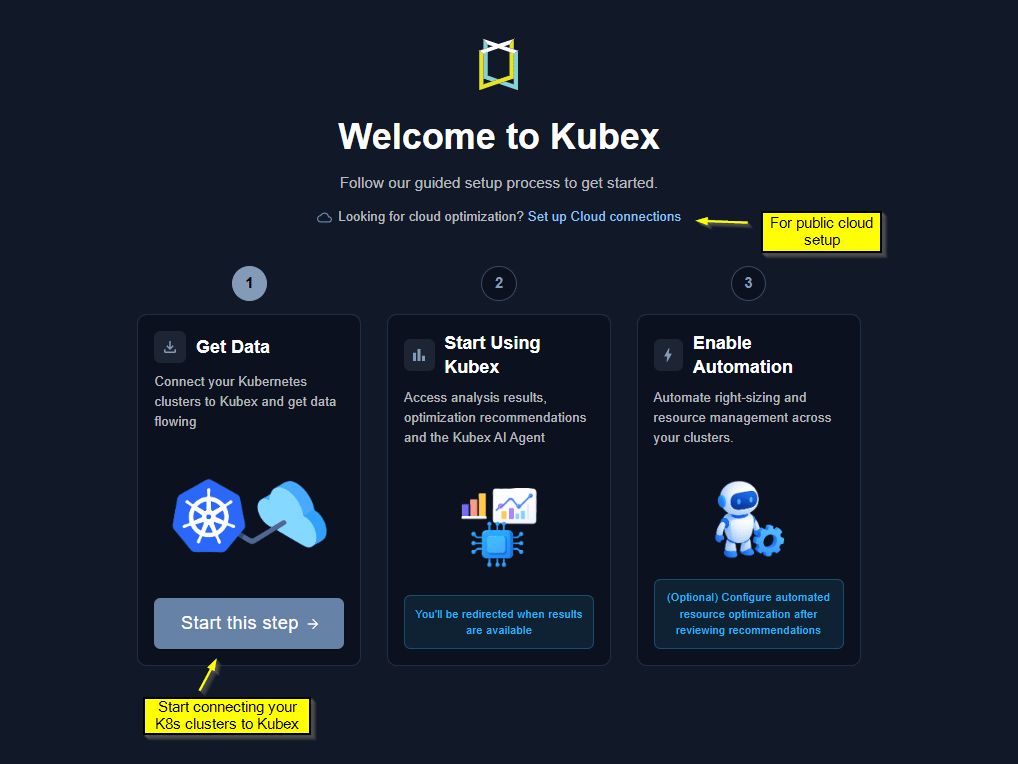
Figure: Data Collection Status Page
Helm Commands to deploy the Kubex data collector
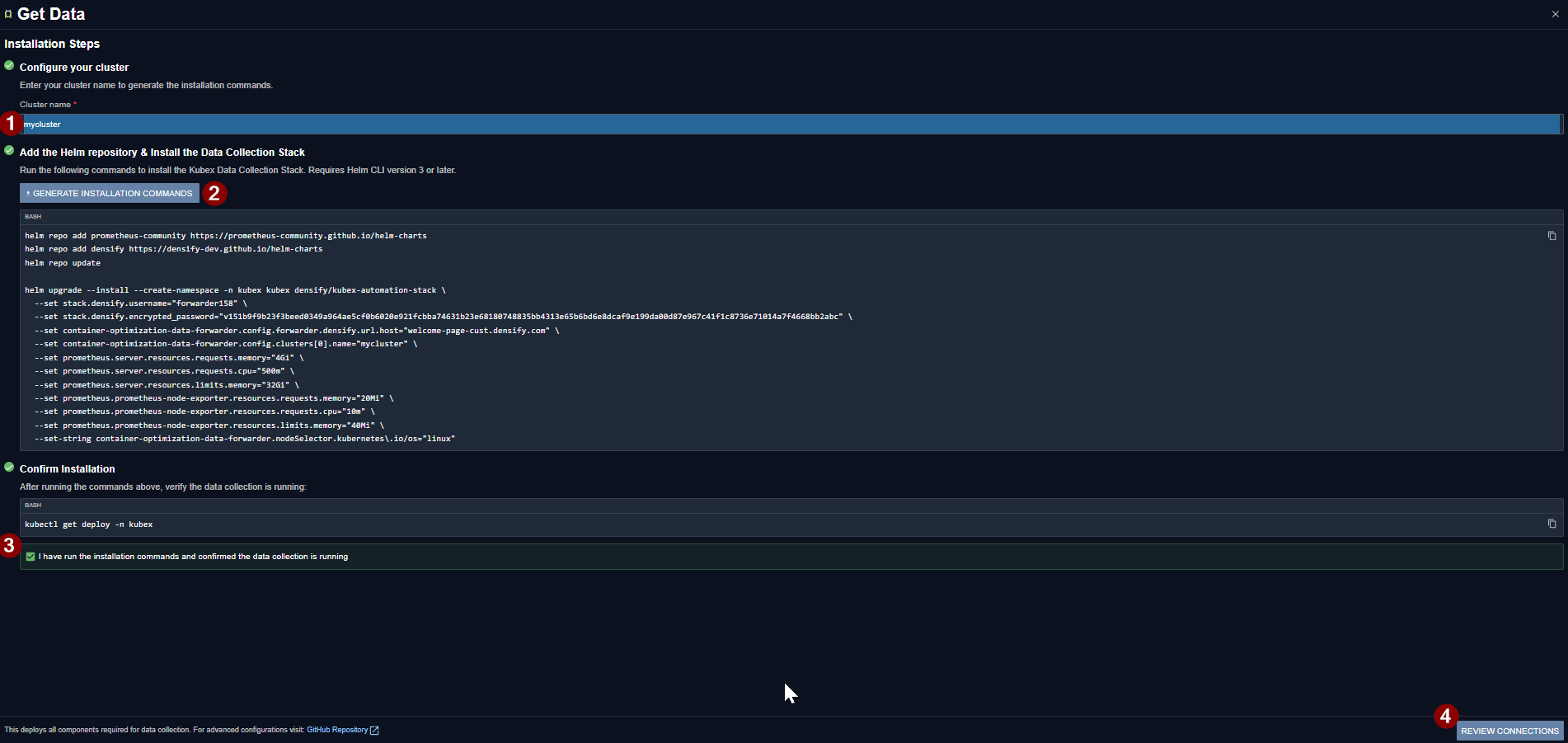
Figure: Data Collection Status Page
Data Collection Status & Adding More Clusters
After deploying Kubex data collection, data will begin flowing within an hour. You can monitor the status of each cluster connection through the data collection status page, which is also accessible from the side panel. Kubex performs data analysis overnight, so data flowing in today will show analyzed results the following morning.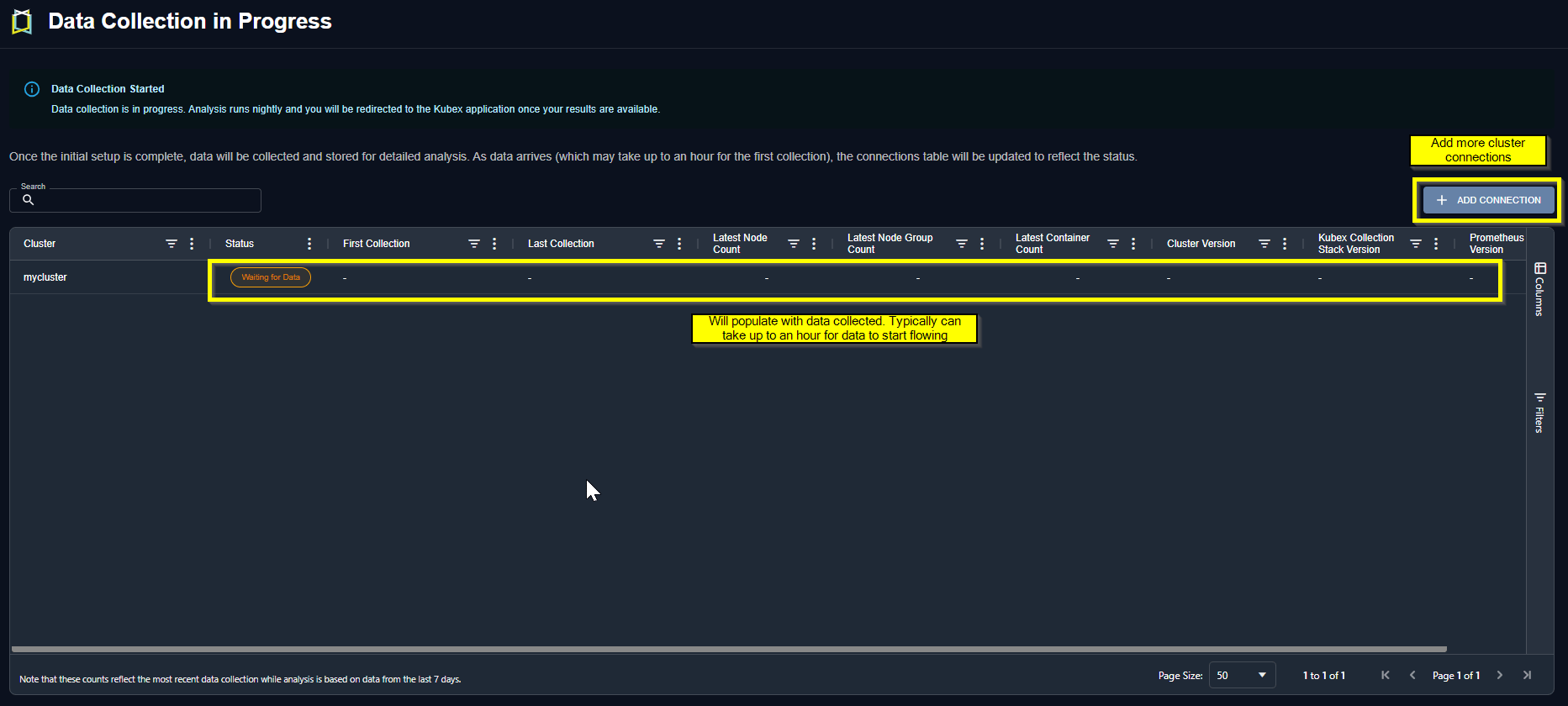
Figure: Data Collection Status Page
Other configuration options including multi-cluster and observability platforms are also supported. See Data Collection for Containers or Github for other configuration options.