

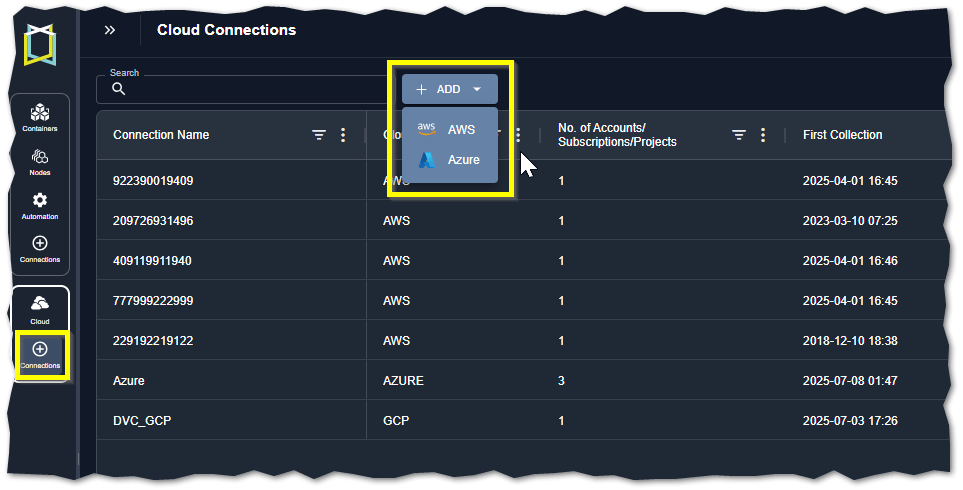
Figure: Adding Cloud Connections to Kubex
Required User Roles
When working with cloud connections, all users can access and view the cloud connections page. Only a user assigned to the “SaaS_Audit_Admin” group can create public cloud connections. See Managing Kubex User Accounts for details on adding the role to your user account.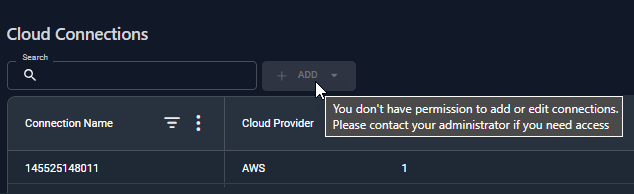
Figure: User Access
Supported Public Cloud Providers
The following cloud platforms are currently supported in Kubex:API Access
You can collect and analyze cloud data through the Kubex API. Refer to the following use cases for examples:- Optimizing AWS EC2 Instances
- Optimizing Microsoft Azure Virtual Machine Instances
- Optimizing GCP Compute Engine Instances